

Send Conversation Transcript Workflow (Assistable → GoHighLevel)
🔹 Workflow Summary
This workflow:
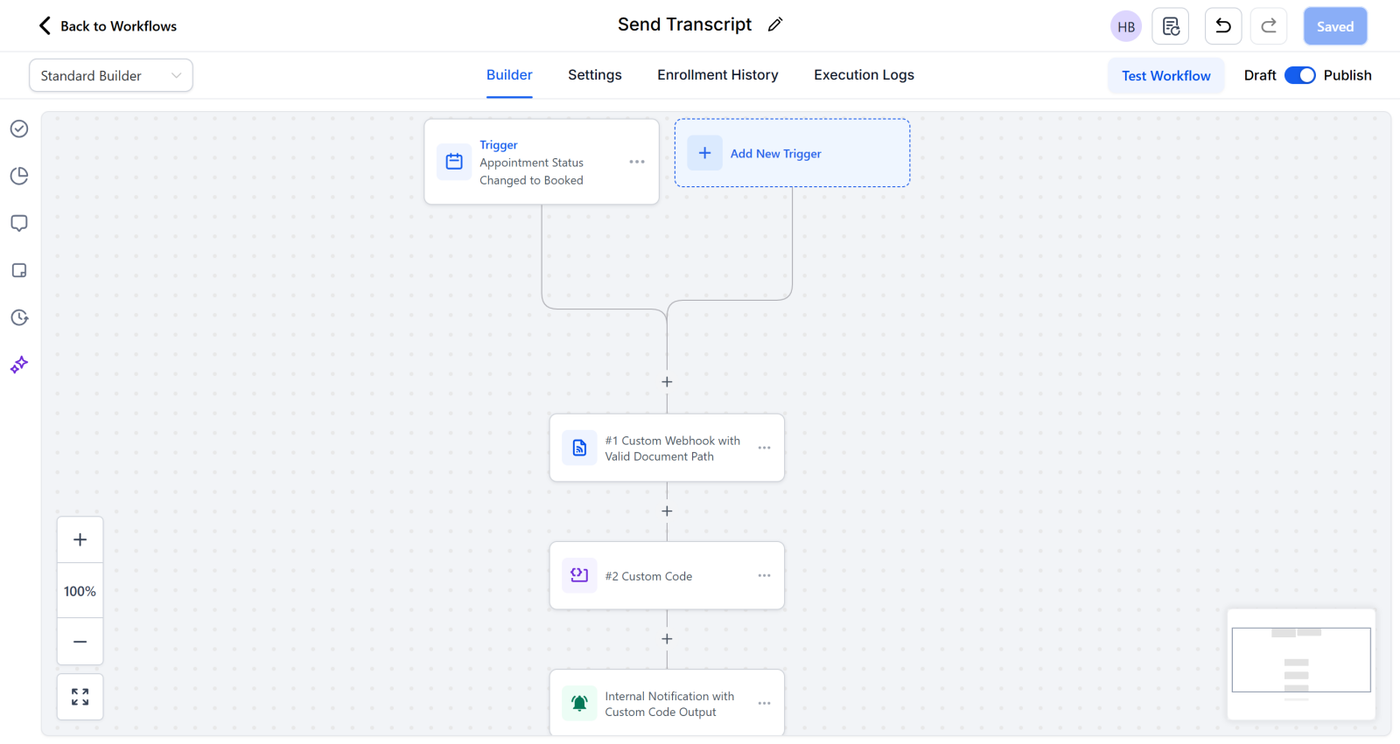
1. Triggers when Appointment Status changes to Booked
2. Calls Assistable API to fetch conversation messages
3. Custom Code formats the transcript into:
→ 📄 Converts raw AI data into clean text
4. Email / staff notification sends transcript to relevant parties
🔹 Component Overview
| Step | Action | Purpose |
|---|---|---|
| 1 | Trigger: Appointment Status Booked | Begin workflow only when a booking is set |
| 2 | Custom Webhook (Assistable API) | Fetch conversation message logs |
| 3 | Custom Code | Format raw message JSON into readable transcript |
| 4 | Email or Internal Notification | Deliver transcript to recipient |
🧠 Step-by-Step Setup Instructions
Step 1 — Trigger
-
Trigger: Appointment Status Changed
-
Status: Booked
No further config required
Step 2 — Custom Webhook (API Request)
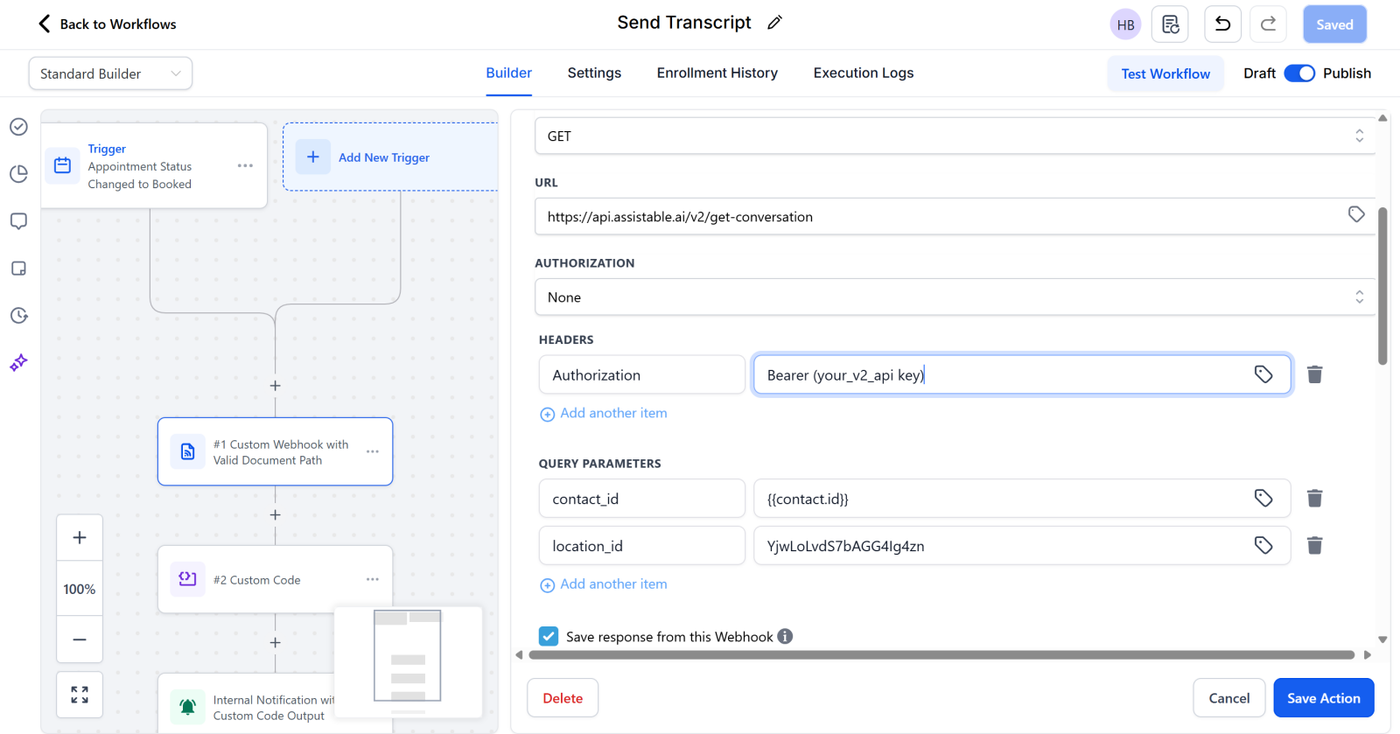
| Field | Value |
|---|---|
| Event | GET |
| URL | https://api.assistable.ai/v2/get-conversation |
| Header | Authorization → Bearer {{Your_v2_api_key}} |
| Query Param #1 | contact_id → {{contact.id}} |
| Query Param #2 | location_id → {{location.id}} (or static if preferred) |
| Save Response ✅ | ENABLED |
Should show: Request success status: 200
Step 3 — Custom Code Formatting
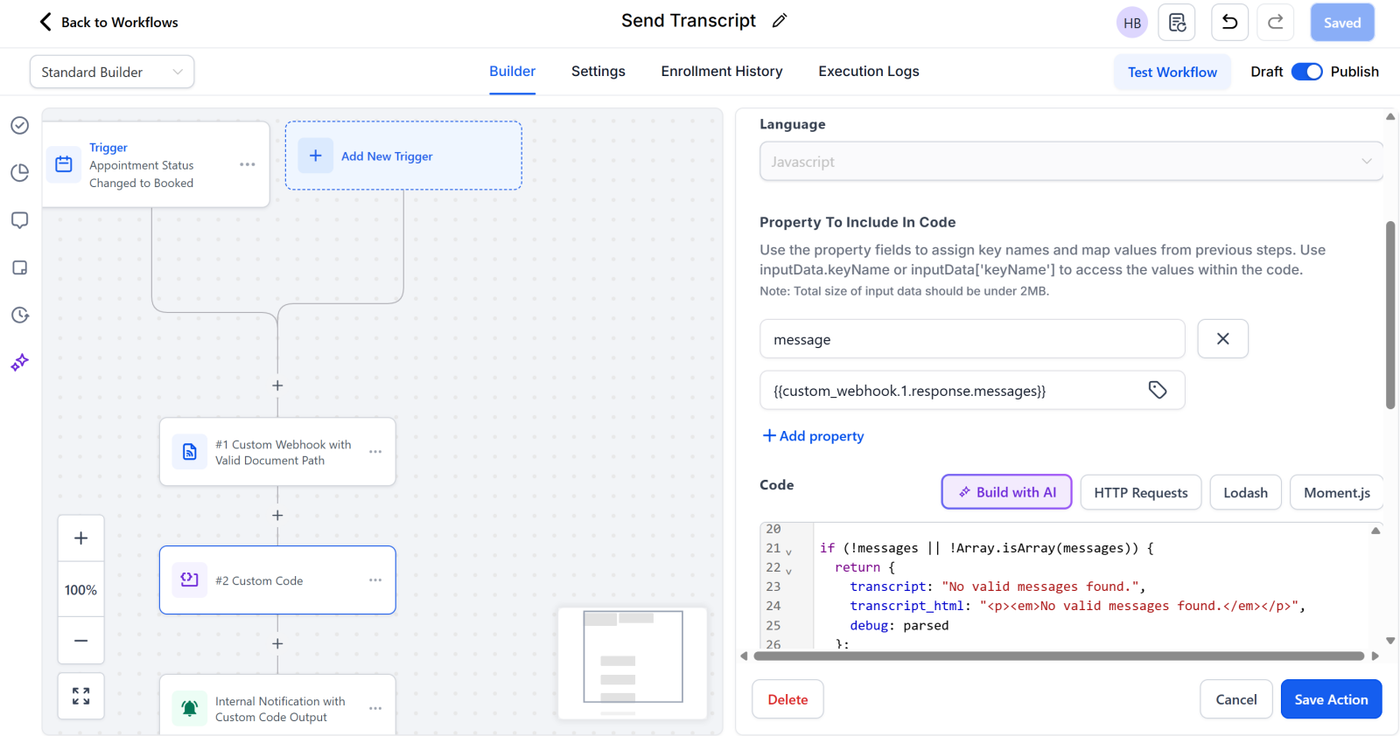
Property Mapped:
message = {{custom_webhook.1.response.messages}}
Paste EXACT code below:
const raw = inputData.message;

// ---------- Parse safely ----------
let parsed = raw;
if (typeof raw === "string") {
  try { parsed = JSON.parse(raw); } catch { parsed = raw; }
}

// ---------- Find messages ----------
function findMessages(obj) {
  if (!obj) return null;
  if (Array.isArray(obj)) return obj;
  if (obj.messages) return obj.messages;
  if (obj.response && obj.response.messages) return obj.response.messages;
  if (obj.data && obj.data.messages) return obj.data.messages;
  return null;
}

const messages = findMessages(parsed);

if (!messages || !Array.isArray(messages)) {
  return {
    transcript: "No valid messages found.",
    transcript_html: "<p><em>No valid messages found.</em></p>",
    debug: parsed
  };
}

// ---------- Build proper line-by-line transcript ----------
const lines = messages
  .filter(m => ["assistant", "user"].includes(m.role))
  .map(m => {
    const sender = m.role === "assistant" ? "🤖 AI" : "🧍 Lead";
    const txt =
      typeof m.content === "string"
        ? m.content.trim()
        : JSON.stringify(m.content);
    return `<p style="margin:8px 0;"><strong>${sender}:</strong> ${txt}</p>`;
  });

// ---------- Plain text ----------
const transcript = lines
  .map(l => l.replace(/<[^>]+>/g, ""))
  .join("\n\n");

// ---------- Proper HTML ----------
const transcript_html = `
<div style="
  font-family:Arial, sans-serif;
  font-size:15px;
  line-height:1.6;
  color:#222;
  background:#f9fafb;
  border:1px solid #e5e7eb;
  border-radius:8px;
  padding:14px;">
  <p><strong>🗒️ Transcript Details:</strong></p>
  ${lines.join("\n")}
</div>
`;

return {
  transcript: transcript,
  transcript_html: transcript_html
};
Output Variables Created:
-
{{custom_code.2.output.transcript}}
Step 4 — Email or Internal Notification
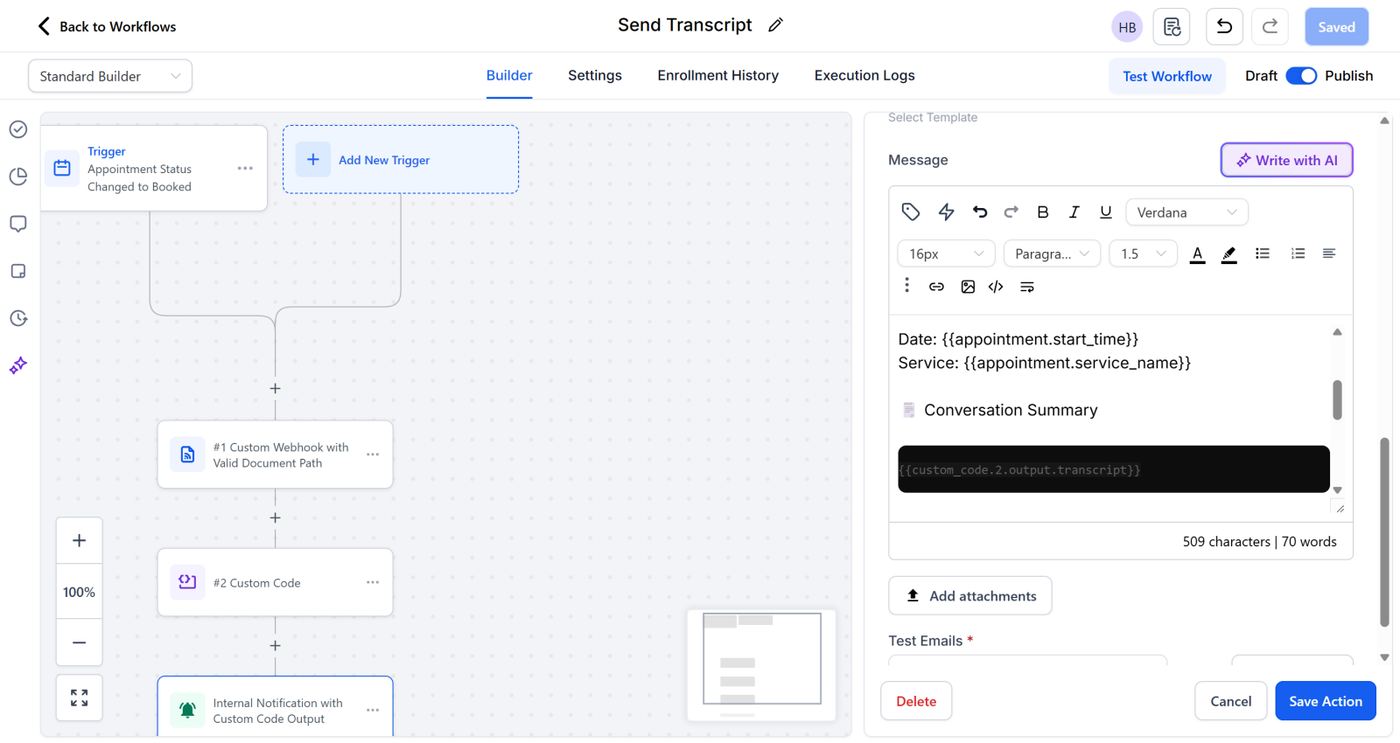
Insert into the email body:
For pure text fallback:
{{custom_code.2.output.transcript}}
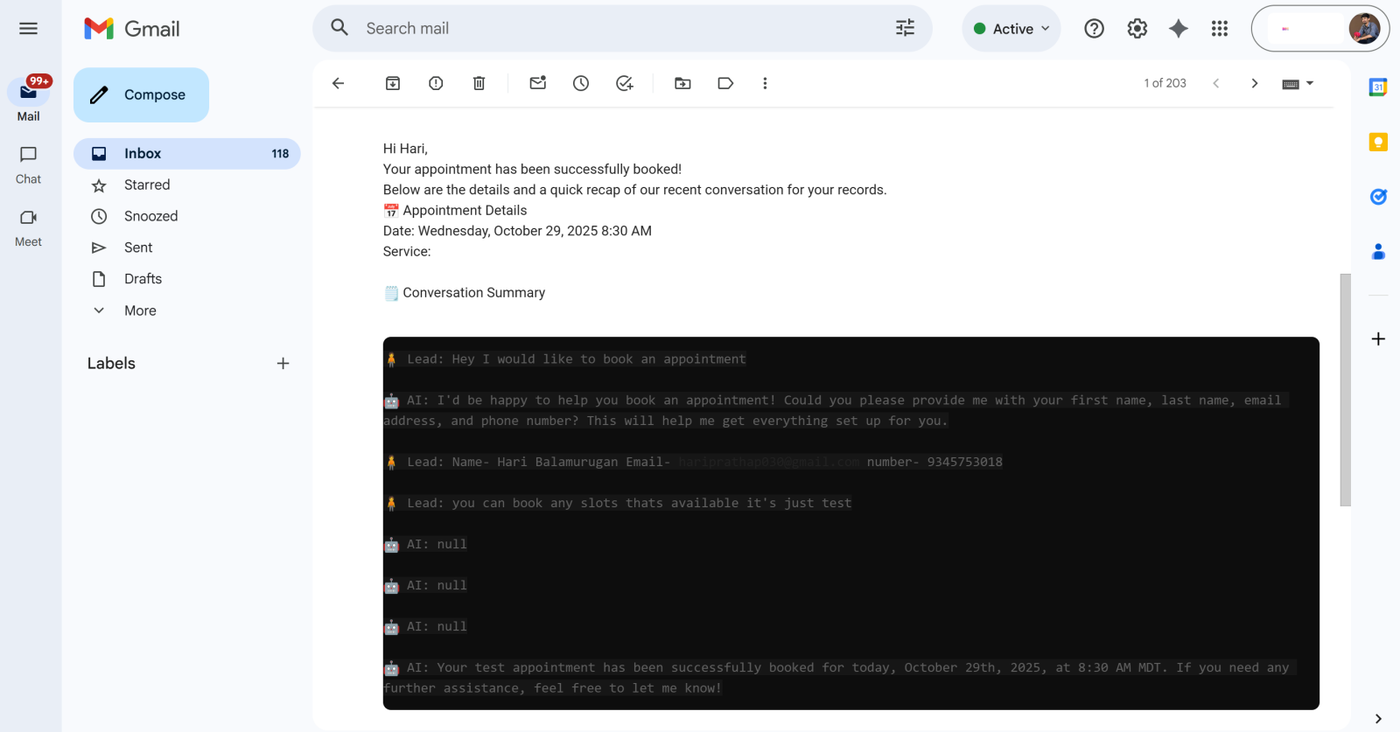
TEST EMAIL
IMPORTANT — Required After Import
(Include this in your internal note!)
Users MUST:
Open the Custom Code step
Click Save Code (no edits needed)
Publish workflow
Because GHL disables imported scripts until manually confirmed.
Verification Checklist
| Task | Status |
|---|---|
Webhook returns 200 OK |
☐ |
| Transcript output appears in internal notification | ☐ |
| Email displays formatted transcript correctly | ☐ |
| Code step re-saved post-import | ☐ |
| Workflow Published | ☐ |
📎 Deliverables Included
✅ Assistable API integration
✅ Transcript formatting engine
✅ Workflow messaging delivery
✅ Custom code with HTML styling
Result
Fully automated transcript delivery from Assistable → GoHighLevel → Inbox ✅